iPhone, iPad, and Mac app (CnuCOVI)
CnuCOVI has been removed from the App Store and no longer receives updates. The following is based on the source code of the last version, 1.3, and on the App Store page.
The app is called “CnuCOVI”. Its App Store subtitle is 「新南向小工具 > 公差查詢系統」 (New Southbound Tool > Duty Lookup System), and it was released on the App Store on October 29, 2024.
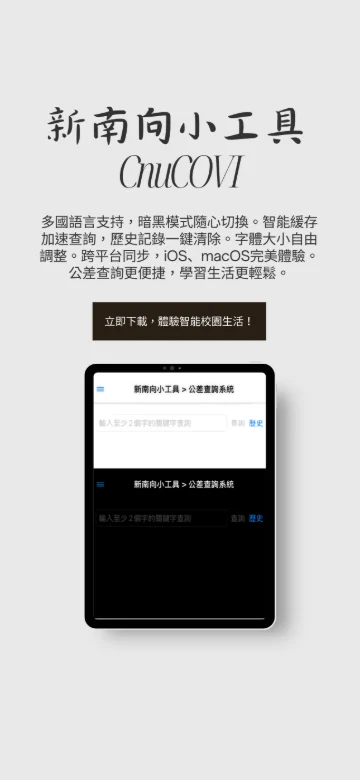
The promotional image mentions 「跨平台同步」 (cross-platform sync), but the 1.3 source code has no corresponding feature.
System requirements and availability
| Item | Details |
|---|---|
| Devices | iPhone, iPad, Mac |
| OS | iOS/iPadOS 17.6 or later; macOS 14.6 or later |
| Price | NT$30 on the App Store (Taiwan) |
| Category | Utilities |
| Status | Removed from the App Store |
Looking up records
- In the input field at the top of the screen, enter a keyword of at least 2 characters, such as a student ID or name. You can’t search with fewer than 2 characters.
- Tap Search. The screen shows “Loading...” while it waits for the data.
- Results are shown one at a time. If there’s more than one, switch between them with Previous and Next or the page number menu.
- If there are no records at all, the screen shows “Great job! No demerits!”
For what each field means, see Understanding lookup results.
Search history
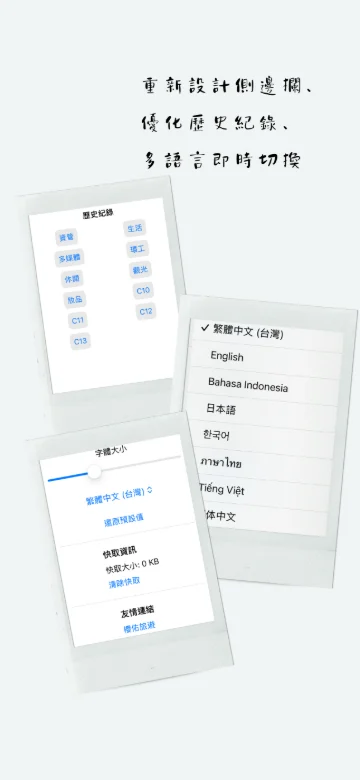
Tap History next to the input field to see the keywords you’ve searched for recently; up to 20 are kept. Tap one to search for it again. Clear Search History deletes all of them.
Sidebar settings
To open the sidebar, tap the menu button in the top-left corner, or swipe right on the screen.
| Setting | Description |
|---|---|
| Dark Mode | Switches between dark and light appearance; the choice is kept the next time you open the app |
| Font Size | Adjust with a slider, from 12 to 24 |
| Language | Nine interface languages; changes apply immediately |
| Reset to Default | Restores the light appearance, font size 16, and Traditional Chinese (Taiwan) |
| 「快取資訊」 (Cache info) | Shows the cache size and lets you clear it with 「清除快取」 (Clear cache) |
| Friendly Links | YuCts (櫻佑旅遊), YucDu, TedSky |
Cache
Lookup results are saved on your device. When you search for the same keyword again, the saved results are shown right away without reconnecting. The cache is cleared automatically the first time you open the app each day. To get the latest data right away, first use 「清除快取」 (Clear cache) in the sidebar, then search again.
Interface languages
Traditional Chinese (Taiwan), Traditional Chinese (Hong Kong), Simplified Chinese, English, Indonesian, Japanese, Korean, Thai, and Vietnamese.
Differences between iPhone, iPad, and Mac
- iPhone and iPad: The first time you open the app, it asks whether to allow notifications (push notifications). A banner ad appears at the bottom of the screen.
- Mac: No push notifications or ads; lookup and settings work the same way.

Published on